AcuBase
Demo
Overview
|
The Main
Menu is your starting place from which you may access all of AcuBase's
power and flexibility. Use the Main Menu to jump to any of the main
functions of AcuBase, and, perhaps most significantly, to set up and
change the Preferences that will be used throughout the program. Use
the Preferences button in the Main Menu to:
- Enter
the user name, license number(s), tax id number(s), and company name
and address. This information is automatically printed on letters
and throughout many different reports
- Insert
your own logo into AcuBase. This logo not only appears on many of
the database screens, but may also be printed on several AcuBase forms.
- Choose
the currency you would like to use (dollars, pounds, francs, yen,
etc.), and tax rates for your products and procedures.
- Set
up procedures (acupuncture, moxibustion, massage, etc.), as well as
codes, prices, and tax rates for each. Set up diagnosis descriptions
and codes, as well. AcuBase Standard 2.003 comes with many of the
most popular procedures and diagnoses, with associated U.S. CPT and
ICD-9 codes.
- Determine
how your records print out of AcuBase. Will you preview them on the
screen first, then print, or would you rather just print them without
previewing them? Or JUST preview them on the screen and not print
at all?
- Modify
the heading you would like to use for your patient intake forms.
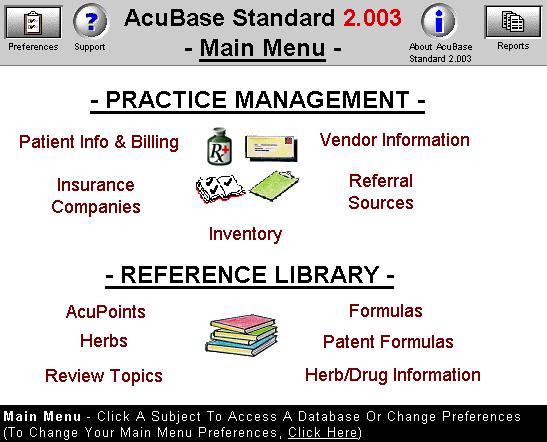
Here's
what the Main Menu looks like:

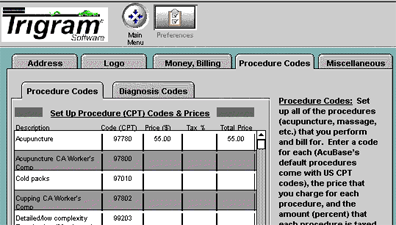
If you
were to click on the Preferences button above, and wanted to modify
your Procedure Codes, here's how that screen would appear:
|