| |

Home
AcuBase
Demo
Overview
|
Inventory
Reports
To print
and/or view reports from the Inventory database, click on the Reports
button from any layout. This takes you to a screen where you are given
the option of five different reports. When you click on any of the report
button options, the report will either preview, and then print; print
only; or preview only. It depends on how you set the Printing Options
field in the "Miscelleanous" tab under "Preferences"
from the AcuBase Main Menu.
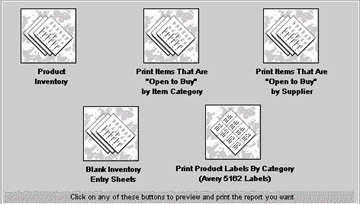
- Product
Inventory: This report gives a summary of all of the items
in the database sorted by category, and then by Product ID number.
It details the maximum amount of that item that you would like to
keep on hand, the reorder level, the amount currently in stock (according
to the last time you took inventory), and the amount currently open
to buy.
- Open
to Buy by Item Category: This report gives a summary of all
of the items in the database where the "Max. # to Keep On Hand"
field is greater than the "Amount on Hand" field. In other
words, it summarizes and prints only those items that are currently
open to buy by category, and then by Product ID number. It shows the
maximum amount of that item that you would like to keep on hand, the
reorder level, the amount currently in stock, and the amount currently
open to buy.
- Open
to Buy by Supplier: Like the report above, this report gives
a summary of all of the items in the database where the "Max.
# to Keep On Hand" field is greater than the "Amount on
Hand" field. In other words, it summarizes and prints only those
items that are currently open to buy. But this report sorts them and
summarizes them by Supplier, and then by Product ID number, thus allowing
ease in ordering supplies by allowing you to see all items that you
might want to buy from a given supplier. It also shows the maximum
amount of that item that you would like to keep on hand, the reorder
level, the amount currently in stock (according to the last time you
took inventory), and the amount currently open to buy.
- Blank
Inventory Entry Sheets: This report is used each time you
are ready to take inventory manually. It prints out all of the items
in the Inventory database and sorts them by Category and then Product
Id. It tells you the maximum amount you would like to keep on hand,
but it leaves open a blank box for you to enter the amount of each
item in stock. Once this report is printed, you can fill in the "Amount
in Stock" field by hand as you take inventory, and then enter
those values back into the Inventory database when you are done.
- Print
Product Labels: This report prints labels of all of the items
in the Inventory database so that you may place these labels on the
shelves, boxes, containers, etc., of the items you keep in the inventory
database. These labels are set up to print on Avery® 5162 labels
(available at most decent office supply stores for your laser or inkjet
printer). Each label has the name of the item in bold at the top,
then gives the AcuBase Product ID number (to make finding that item
in the Inventory database easy), the maximum amount of that item to
keep in stock, the supplier name, and the AcuBase Supplier ID Number
(to make finding that supplier in the Inventory or Vendor database
simple).
|

 Back
Back